CS2 Sensitivity Calculator and Guide: Find Your Perfect Sensitivity
Sensitivity is the most personal setting in Counter-Strike 2. Too high and you overshoot targets. Too low and you cannot track fast movement.
Archived guide · Last edited 25 Mar 2026. Game details may have changed since publication.
Finding Your Perfect CS2 Sensitivity#
Sensitivity is the most personal setting in Counter-Strike 2. Too high and you overshoot targets. Too low and you cannot track fast movement. This guide helps you find the ideal sensitivity for your playstyle and explains the math behind eDPI, cm/360, and more.
Understanding Sensitivity Math#
eDPI (Effective DPI)#
eDPI is the universal measure of mouse speed in CS2. It combines your mouse DPI with your in-game sensitivity:
eDPI = Mouse DPI x In-game Sensitivity
For example: 400 DPI x 2.0 sensitivity = 800 eDPI
Two players with the same eDPI have identical mouse speed, regardless of their individual DPI and sensitivity settings.
cm/360#
cm/360 measures how many centimeters you need to move your mouse to do a full 360-degree turn in-game. Lower eDPI = more cm to turn = more precise aim.
- High eDPI (1200+): ~25cm/360 — Fast, wrist-aimer style
- Medium eDPI (800-1000): ~35-45cm/360 — Balanced, arm+wrist
- Low eDPI (400-700): ~50-70cm/360 — Pure arm aimer, maximum precision
Pro Player Sensitivity Statistics#
- Average pro eDPI: ~860
- Median pro eDPI: ~800
- Range: 500 to 1400 (outliers exist)
- Most popular DPI: 400 (45%) and 800 (40%)
By Role#
- AWPers: Slightly higher average (~900 eDPI) for faster flicks
- Entry fraggers: Medium range (~850 eDPI) for balanced speed and precision
- Riflers: Slightly lower average (~800 eDPI) for precise tapping
How to Find Your Ideal Sensitivity#
Method 1: The PSA Method (Perfect Sensitivity Approximation)#
- Start at 800 eDPI (400 DPI, 2.0 sens or 800 DPI, 1.0 sens)
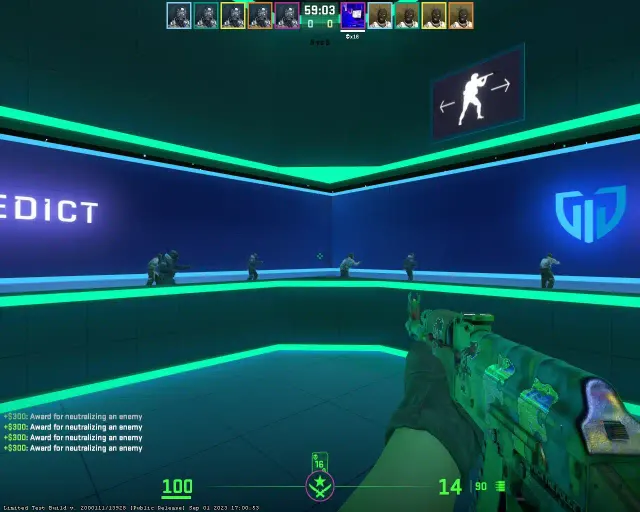
- Load a private server and find a spot on the wall
- Strafe left and right while keeping your crosshair on that spot
- If your crosshair drifts behind the spot: increase sensitivity
- If your crosshair drifts ahead of the spot: decrease sensitivity
- When you can track the spot smoothly while strafing, that is your ideal sensitivity
Method 2: Binary Search#
- Play 5 minutes of deathmatch at 800 eDPI
- Play 5 minutes at 1200 eDPI
- Choose which felt better
- Split the difference (e.g., try 1000 eDPI)
- Keep halving until you find your sweet spot
Method 3: The 180-Degree Test#
Your sensitivity should allow you to comfortably do a 180-degree turn from the center of your mousepad to the edge. If you cannot turn 180 degrees, your sensitivity is too low for your mousepad size.
DPI: 400 vs 800 vs Higher#
Technically, 400 DPI and 800 DPI with adjusted in-game sensitivity produce identical results. However:
- 400 DPI: Tradition from CS 1.6. Cursor moves slowly on desktop
- 800 DPI: More comfortable for desktop use. Most modern mice are optimized for 800 DPI
- 1600+ DPI: Some modern sensors perform better at native high DPI. Reduce in-game sensitivity accordingly
Recommendation: Use 800 DPI for the best balance of in-game and desktop usability.
Zoom Sensitivity#
The zoom_sensitivity_ratio setting affects how fast you aim while scoped (AWP, AUG, SG 553). Default is 1.0.
- 1.0: Most pros use default. Consistent muscle memory
- 0.8-0.9: Slightly slower scope for more precise AWP flicks
- Above 1.0: Rarely used, can feel too fast when scoped
Windows Settings#
- Pointer speed: Set to 6/11 (default, middle position)
- Enhance pointer precision: DISABLE this. It adds mouse acceleration
- Raw input in CS2: Enable this in CS2 settings to bypass Windows mouse settings entirely
Common Mistakes#
- Changing sensitivity too often: Pick a sensitivity and commit for at least 2 weeks
- Copying pro sensitivity exactly: Pro settings are starting points, not gospel. Hand size, mousepad size, and playstyle all matter
- Too high for precision: If you consistently overshoot heads, lower your sensitivity
- Too low for your mousepad: You need enough space to turn 180 degrees comfortably
- Mouse acceleration enabled: Disable it everywhere for consistent aim
Conclusion#
The perfect sensitivity is the one that lets you track targets smoothly while still having enough speed to react to flanks. Start around 800 eDPI, use the PSA method to refine, and commit to your choice. Remember: consistency beats any specific number. The best players did not find a magic sensitivity — they practiced thousands of hours with one setting until it became second nature.
Something worth updating?
Spotted an outdated detail or something we should add?