50 Essential CS2 Console Commands Every Player Should Know
The developer console in Counter-Strike 2 unlocks powerful customization options that go beyond the settings menu.
Archived guide · Last edited 25 Mar 2026. Game details may have changed since publication.
The Most Useful CS2 Console Commands#
The developer console in Counter-Strike 2 unlocks powerful customization options that go beyond the settings menu. From practice commands to performance tweaks, these 50 commands will improve your CS2 experience.
How to Enable the Console#
Go to Settings → Game → Enable Developer Console and set it to "Yes". Press the tilde key (~) to open it in-game.
Performance Commands#
fps_max 0— Uncaps frame rate for maximum FPSfps_max 300— Caps FPS at 300 (reduces frame time variance)cl_showfps 1— Displays FPS counter (0=off, 1=simple, 2=detailed)net_graph 1— Shows network stats including ping, loss, and chokecl_updaterate 128— Sets client update rate to 128engine_low_latency_sleep_after_client_tick true— Reduces input latency
Crosshair Commands#
cl_crosshairsize 2— Sets crosshair line lengthcl_crosshairgap -2— Sets gap between crosshair linescl_crosshairthickness 0.5— Sets line thicknesscl_crosshaircolor 1— Sets color (1=green, 2=yellow, 3=blue, 4=cyan, 5=custom)cl_crosshair_drawoutline 1— Enables crosshair outlinecl_crosshair_outlinethickness 0.5— Sets outline thicknesscl_crosshairdot 0— Disables center dotcl_crosshairstyle 4— Static classic crosshair (most popular)
Practice Mode Commands#
Use these in private servers for training:
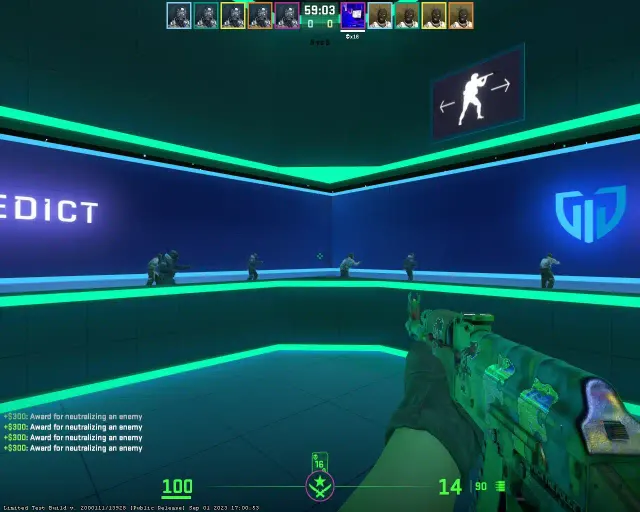
sv_cheats 1— Enables cheat commands (required for most practice commands)sv_infinite_ammo 1— Infinite ammo (1=infinite magazine, 2=infinite reserve)sv_grenade_trajectory_prac_pipreview 1— Shows grenade trajectory previewmp_warmup_end— Ends warmup immediatelymp_restartgame 1— Restarts the roundmp_roundtime_defuse 999— Sets very long round timemp_buy_anywhere 1— Buy from anywhere on the mapmp_buytime 999— Unlimited buy timebot_add_t/bot_add_ct— Add a bot to a teambot_kick— Remove all botsbot_stop 1— Freeze all bots in placegive weapon_ak47— Give yourself any weaponnoclip— Fly through walls (toggle)god— Invincibility (toggle)
HUD and Visual Commands#
cl_hud_color 1— Changes HUD color (0-10 for different colors)cl_righthand 1— Right-handed weapon model (0 for left)viewmodel_fov 68— Sets weapon viewmodel field of viewviewmodel_offset_x 2.5— Adjusts weapon horizontal positionviewmodel_offset_y 0— Adjusts weapon depthviewmodel_offset_z -1.5— Adjusts weapon vertical positionr_drawtracers_firstperson 0— Disables first-person bullet tracers
Sound Commands#
volume 0.5— Master volume (0.0-1.0)snd_musicvolume 0— Disables musicsnd_tensecondwarning_volume 0.1— Sets 10-second bomb warning volumesnd_headphone_pan_exponent 1— Adjusts positional audio curve
Useful Binds#
bind mwheeldown +jump— Jump on mouse scroll (for bunny hopping)bind c "toggle cl_righthand 0 1"— Toggle left/right hand modelbind x "use weapon_smokegrenade"— Quick smoke bindbind z "use weapon_molotov;use weapon_incgrenade"— Quick molotov bind
Network Commands#
ping— Shows your current pingstatus— Shows server info, all player names and SteamIDscl_interp_ratio 1— Sets interpolation ratio (1 for good connections)rate 786432— Maximum network bandwidth
Conclusion#
These 50 console commands cover the most important settings and practice tools in CS2. Bookmark this page and use it as a reference whenever you need to tweak your setup or set up a practice server. The console is one of CS2s most powerful features — master it and you will have a significant advantage over players who only use the settings menu.
Something worth updating?
Spotted an outdated detail or something we should add?